BISP Payment Inquiry Easy Ways (Complete 2025 Guide)
The BISP Payment Inquiry Easy Ways guide helps millions of beneficiaries understand how to check their Benazir Income Support Programme (BISP) payments quickly and securely. The Benazir Income Support Programme has been a lifeline for low-income families across Pakistan, offering essential financial assistance every few months to help them meet their daily needs. However, one of the most common concerns among beneficiaries is: “How can I check my BISP payment easily?”
If you’re looking for verified, simple, and safe methods to track your BISP payments online or offline, this detailed article will walk you through each process step by step.
In this article, you’ll clearly understand how to inquire about your BISP payment, confirm your eligibility, and monitor your latest transactions without any confusion.
BISP Payment Inquiry via 8171 Web Portal (Official Method)
The easiest and most reliable way to check your payment is through the official 8171 BISP web portal, which is maintained by the Government of Pakistan.
Follow these steps carefully:
 WhatsApp Channel
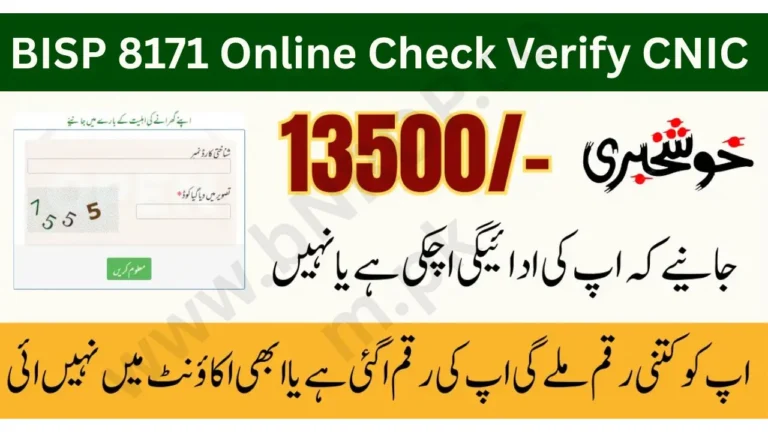
- Open the official website: https://8171.bisp.gov.pk
- Enter your 13-digit CNIC number in the input box.
- Type the captcha code shown on the screen.
- Click on the “Submit” button.
- You’ll see your BISP payment status, eligibility, and the latest amount released.
This method is completely free and works 24/7. You don’t need to visit any office or center — everything is accessible online through the official portal.
Pro Tip: Always ensure you are using the official website (ending in .gov.pk) to avoid fake portals or scams.
Check BISP Payment by SMS on 8171
If you don’t have internet access, you can still check your payment using SMS. This is one of the oldest and most widely used BISP verification methods.
How to check BISP payment via SMS:
- Go to your phone’s message app.
- Type your CNIC number (without dashes).
- Send it to 8171.
- You’ll get a reply message showing your eligibility and payment details.
This service works on all mobile networks, including Jazz, Zong, Ufone, and Telenor.
Important: Always send messages only to the official number 8171. Any other number claiming to be BISP is fake or fraudulent.
Check Your BISP Payment via HBL and Bank Alfalah ATMs
Most BISP payments are now distributed through HBL and Bank Alfalah under the government’s partnership program. Beneficiaries can check their balance and withdraw funds using biometric verification.
Steps to check BISP payment at ATM:
- Visit any HBL or Bank Alfalah ATM near you.
- Insert your CNIC card or scan your thumb on the biometric device.
- Choose the option “Benazir Income Support Programme”.
- Select “Balance Inquiry” or “Withdraw Payment”.
- The ATM will display your available balance and allow cash withdrawal.
This method is especially useful if you already have your BISP card or CNIC registered with the system.
Visit the Nearest BISP or Ehsaas Center
For beneficiaries who don’t use the internet or mobile phones, the BISP Tehsil Offices and Ehsaas Facilitation Centers provide on-ground help.
What to bring when visiting the office:
- Original CNIC card
- B-Form (if applicable for household checks)
- Registered mobile number
Once you provide these details, the staff will check your payment record in the BISP database and confirm if your new installment has been released.
Tip: Visit during working hours (Monday to Friday, 9 AM – 4 PM) to avoid long queues.
BISP Helpline – Get Instant Help on Call
If you are facing issues like payment delays, biometric problems, or incorrect CNIC records, the BISP Helpline is the best place to get official guidance.
Helpline Number: 0800-26477
Operating Hours: Monday to Friday, 9 AM to 5 PM
When calling, keep your CNIC number and mobile number ready for quick verification.
Common Reasons for BISP Payment Not Showing or Delayed
Many beneficiaries report that their payments don’t show up on the 8171 portal or are delayed. Here are some possible causes:
- CNIC not updated with NADRA
- Biometric verification failure
- Account not linked properly with bank system
- Government data verification pending
- Server or system maintenance during payment release week
To resolve such issues, visit your nearest BISP office and re-verify your CNIC and biometric data.
Latest BISP Payment Schedule (December 2025 Update)
According to the latest BISP update, quarterly payments have been started for registered women across Pakistan. The payment can be collected through HBL Connect agents or Bank Alfalah biometric centers.
Women are advised to:
- Check their payment status online before visiting.
- Bring original CNIC for verification.
- Avoid paying any agent — the process is completely free of charge.
Safety Tips for BISP Beneficiaries
As the number of beneficiaries increases, so do the scams. Here are a few important safety reminders:
- Never share your CNIC number or PIN with anyone other than authorized bank staff.
- Avoid clicking links sent via WhatsApp or Facebook claiming to offer “extra BISP money.”
- Always confirm information through the official 8171 website or helpline.
- Report suspicious messages to BISP complaint office immediately.

Final Words
Checking your BISP payment inquiry has never been this simple. Whether you choose to use the 8171 web portal, SMS service, mobile app, or visit your nearest center, all options are now easy, free, and transparent.
For the best experience, always use official channels and keep your CNIC updated with NADRA. This ensures that your payments are released on time without any issues.
The Benazir Income Support Programme continues to empower millions of Pakistani families — and staying informed about your payment is the first step toward making the most of it.